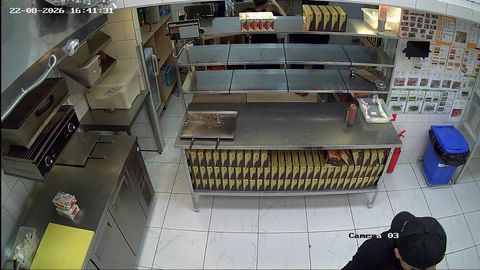
LIVE
LINE / HD
Preparation line
A wide view of the work area and how busy it is right now
The owner sees the kitchen at work in real time and can go back to the recording. Customers trust you more when they can see the general conditions, the cleanliness of the work area and food being prepared.
With rtsp.me, existing IP cameras deliver video straight to the browser without your own media server or a separate app.
Connect your kitchen camerasThe owner or manager can remotely see how busy the kitchen is, how workstations are organized, the state of the service line and how several outlets are running.
Cameras help you spot queues, idle time and deviations from internal processes sooner. Video gives you context, but it does not replace being there in person, staff training, temperature logs and mandatory food safety checks.
Back-of-house fields of view should be hidden from customers and available only to authorized staff.
A cloud archive lets you go back to the recording for the period you need: check the order of preparation steps, work out why an order was delayed or reconstruct the circumstances of a dispute.
The business decides why it records, the minimum retention period it needs and which staff have access. The archive should not be opened up to customers or used for arbitrary monitoring of employees.
To find the episode you need, it helps to match the order time, the outlet number and the camera timestamp.
A specially chosen wide field of view shows the customer the conditions their food is prepared in: how the work surface is organized, gloves being used where the process calls for them, and the order moving along the line.
The customer-facing stream must not show till screens, receipts, personal data, internal documents or close-ups of staff and other customers.
Back-of-house cameras can be used for management, while one safe wide field of view is set aside for customers once they have ordered.
A wide view of the work area and how busy it is right now
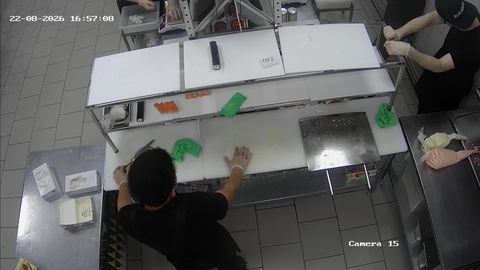
A safe field of view of the process for customers who have ordered
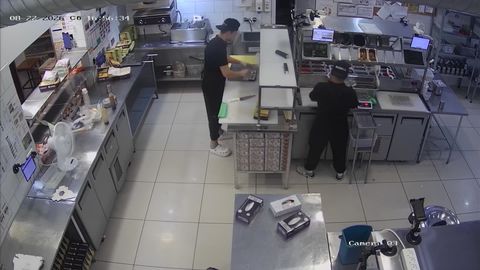
Restricted viewing and the archive for the manager
You can put a protected player on the confirmed order page and show it only to the authorized customer. Once the order is complete, or the set period has passed, the page closes access.
This scenario requires your website, app or order management system to be integrated with authorization logic. rtsp.me supplies the video stream and the player, while checking the order number and the access period is handled by the outlet's own system.
If several orders are prepared in the same area, the camera shows the process as a whole. To show one specific dish reliably, you need a dedicated station, clear labelling and extra logic to link the two.
Before going live, the business must establish the legal basis for video surveillance, inform staff and visitors, set access rules and comply with the applicable data protection requirements.
Cameras must not be pointed at till keypads, payment terminals, order screens, documents or staff rest areas. For the customer-facing player, a wide shot of the work surface with no sound and no recognizable close-ups is preferable.
The customer only gets temporary viewing of the customer-facing field of view. The manager sees the internal cameras, and archive access is granted to an even narrower group of authorized staff.
Keep track of your outlets live and through the archive, and show customers a safe field of view of their food being prepared once they have ordered.
Connect the RTSP cameras you already have, with no media server of your own.
Connect your fast food cameras