 LIVE
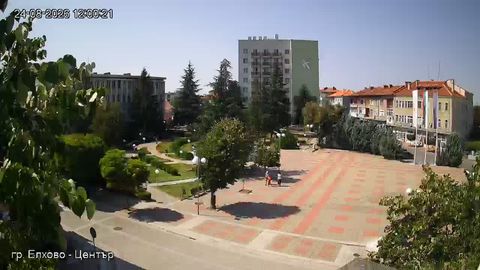
LIVECentral square
The weather, the footfall and the conditions in a public space
rtsp.me helps city administrations turn the streams of existing IP cameras into public live streams for a city portal, a tourism website or an information service.
Bring the cameras covering your streets, squares, parks and landmark sites together in one account. Residents and visitors can open the video in a browser on a computer or a smartphone, with no separate app.
Connect a city cameraA public webcam gives residents a simple way to see the actual conditions at a chosen point in the city. It adds a current picture to the maps, the weather forecast, the text announcements and the news.
A single page can gather cameras from several districts, or they can be split across themed sections: roads, tourism, public amenities, public spaces and city events.
Streams are useful to municipal bodies, tourist information centers, transport services and the editorial teams behind city portals. Cameras and access are managed centrally through rtsp.me.
City cameras can introduce residents to the current conditions, show public spaces and act as a living showcase for visitors.
LIVEThe weather, the footfall and the conditions in a public space
 LIVE
LIVECity architecture, cafés and life in the pedestrian zone
 LIVE
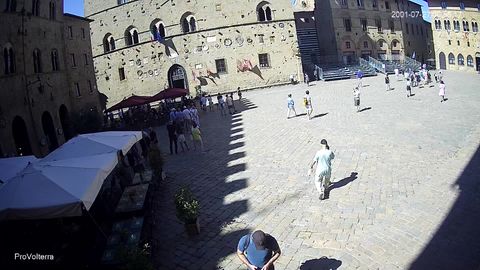
LIVELandmarks and the atmosphere of the old town
 LIVE
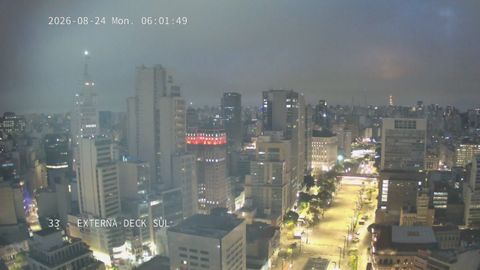
LIVEStreet lighting, the city skyline and the visibility
Wide-angle cameras on streets and at transport hubs help drivers judge for themselves how busy the road is, what state the carriageway is in, how good the visibility is and what the rain or snow has left behind, before they set off.
Streams can sit next to the city map, the traffic plan and information about roadworks and closures. The most useful fields of view are:
A panoramic stream introduces future visitors to the city before they even travel. Show the historic center, the architecture, the waterfront, a monument or a viewing platform at different times of day and in different seasons.
A camera can be embedded on a tourism portal next to the description of a site, a route, a what's-on listing and visitor information. A live view conveys the real atmosphere of a place and keeps up interest in domestic tourism.
Cameras in parks, on squares and along waterfronts show the current weather, how busy the place is and whether it is open to use. Before heading out, residents can see whether it is raining, whether the paths have been cleared and how lively the place they have in mind actually is.
For large events, a public field of view lets those who could not come in person watch the stage or simply take in the atmosphere. Once the event is over, the camera can go back to its usual city view.
A stream should show a wide shot. Close-ups of people, entrances to protected premises, back-of-house areas, documents, control system screens and other sensitive details should not be published.
The service takes the RTSP streams of city IP cameras and prepares them for viewing in modern browsers.
City streams become a practical part of a digital service. They give a quick visual answer to everyday questions:
The player opens directly on the city website and requires neither an app nor any knowledge of the camera's RTSP link.
A live camera works as a permanent, living showcase for the city. Panoramas of central streets, architectural ensembles and natural locations make a tourism page far more vivid than an ordinary set of photographs.
Links to the streams can be added to landmark pages, the events calendar and the material published by the tourist information center. A well-chosen field of view shows the changing seasons, the evening lights and city life as it is, with nothing staged.
Visit statistics help you understand which views and sites people open most often, and to take that interest into account as your city content develops.
Private cameras can be used for an extra visual check on amenity and infrastructure sites. Public and private streams should be kept apart, with staff given only the access they need.
A wide shot helps you see the state of an area, how the seasonal work is progressing and what the bad weather has left behind. Video adds to requests, reports and site visits, but it does not replace them.
Cameras give visual context to information about repairs, snow clearance and temporary changes to the traffic layout. Operational decisions should be based on the approved systems and official data.
A stream showing a wide shot of a square, a stage or a festival ground widens the audience for an event and keeps the city's program within reach of viewers at a distance.
You can start with an IP camera that is already installed, provided its stream is suitable for publishing and reachable over RTSP.
The full procedure for preparing the network and the camera is set out in the guide “How to create a live stream on a website”, and placing the player is covered on the page “How to embed a stream on your website”.
For a public service it matters that you decide in advance who is responsible for the cameras, the connectivity and the content of the pages. rtsp.me monitoring helps you notice the loss of a signal, but restoring the power, the internet connection or the equipment is down to the owner of the site.
For important locations you can plan for backup power, a backup connection or an alternative field of view.
Before publishing each camera, the administration should establish the purpose of the stream, the lawful basis for processing the images, the archive retention period and who is responsible for access, in line with the applicable requirements.
The ways of restricting embedding and viewing are gathered in the guide “How to protect a stream from copying”.
A pilot launch lets you check the picture quality, the load, how usable the pages are and the organizational process itself, all on a small number of cameras.
Start with a few cameras on the roads, the squares and the landmarks, then bring them together into a city live streaming service.
Launch a city project