Protected online cameras for nurseries
Parents see their child’s activities and play, and the nursery keeps control over every grant of access
It matters to parents to know how their child’s day is going: whether they are taking part in activities, playing with the other children and feeling at ease in the group.
rtsp.me makes it possible to deliver the picture from an IP camera to a browser. A nursery’s stream must be closed with a password and available only to verified legal guardians.
Connect a protected camera
Reassurance and trust for parents
Restricted viewing helps parents understand the daily routine better and see the general situation in the group without distracting the teacher with calls and messages.
An online camera is especially useful during the settling-in period, when a child has only just started at the nursery and the family wants to be sure they are joining in with activities and with the other children.
The video shows a limited wide field of view. It does not replace a conversation with the teacher, an assessment of the child’s development or a review of a situation by the management.
Protected viewing only
A nursery’s cameras must not be published openly. The link and password go only to verified legal guardians of the children in the relevant group and to authorized staff.
- use a long, unique password for each group;
- pass the access details through a closed channel;
- change the password regularly and revoke access immediately for families who have left;
- do not let the viewing page be indexed by search engines;
- limit embedding of the player to the allowed domain;
- put rules in place that prohibit sharing the link, screen recording and publishing stills;
- name a member of staff responsible for granting and revoking access.
A password is the basic level of protection. The nursery should assess the need for stricter authentication, individual accounts and an access log together with a specialist in information security.
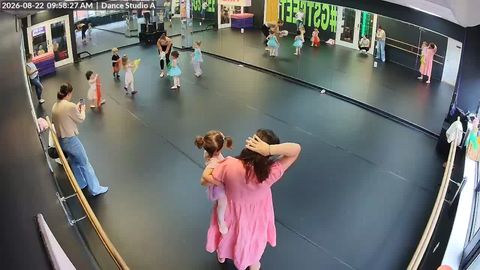
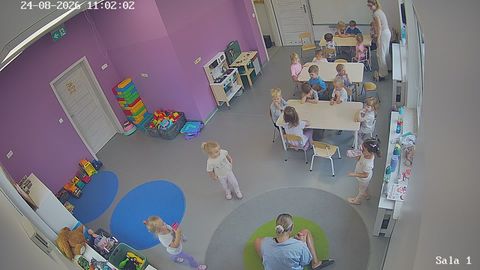
Examples of acceptable fields of view
Wide shots of shared areas where group activities and play take place are suitable for viewing. A camera must not be pointed at places where children change or at other private spaces.
Group activity
A wide shot of the children’s activity and the teacher’s work
Play area
A wide field of view of the space, with no intrusive close-ups
Where to place cameras
Every field of view has to be assessed from the point of view of the educational purpose, safety and the privacy of all the children and staff.
Suitable shared areas
- the group activity room;
- the playroom, in a wide general shot;
- the music or sports hall;
- the outdoor play area and the shared yard;
- the entrance area, for the nursery’s own internal oversight.
Areas of heightened privacy
Cameras should not be installed in toilets, showers, changing rooms, medical rooms or other places where filming breaches a reasonable expectation of privacy. Whether cameras are permissible in sleeping rooms and other spaces must be checked separately against applicable law and the nursery’s own rules.
What rtsp.me gives you
The service accepts an RTSP stream and lets you arrange viewing through a modern browser, with basic means of restricting access.
- PasswordProtects the stream from open viewing
- Domain restrictionThe player is shown only on the allowed site
- GroupsSeparate cameras for different rooms
- RTSPConnects compatible IP cameras that are already installed
- BrowserViewing on a smartphone, tablet and computer
- MonitoringCamera availability checks and signal alerts
- ManagementCameras from several groups or sites in one account
- Nursery websiteHTML code for a closed page for parents
How to arrange access
- Establish the legal basis and obtain the necessary consent before any filming begins.
- Approve a video surveillance policy, retention periods and the list of users.
- Choose wide fields of view that exclude areas of heightened privacy.
- Add the RTSP cameras in your rtsp.me account.
- Switch on the password and the restriction to the allowed domain.
- Pass access to verified parents through a closed channel.
- Change the password regularly and close any access that is no longer needed at once.
Group camera → RTSP →
rtsp.me → password → verified parents
Children’s privacy comes first
A child’s image is sensitive information. Before going live, the nursery must establish the legal basis for the surveillance and the stream, inform staff and legal guardians, obtain the necessary consent and set out clear rules for access.
Parents must understand that the frame contains other people’s children as well as their own. The link, the password, screenshots and recordings must not be passed to anyone else or published on social media.
Recording and the archive
Live viewing does not necessarily mean recording. If an archive is needed for safety reasons, decide in advance on the purpose, the minimum retention period, the staff responsible and the deletion procedure. Giving parents access to the live stream must not automatically give them access to the whole archive.
Technical protection
Besides the password, protect the cameras themselves: change the factory login details, install updates, restrict network access and do not publish the RTSP address. The settings should be checked by a qualified specialist.
Frequently asked questions
Who may watch a nursery’s cameras?
Access should be granted only to verified legal guardians of the children in the relevant group and to authorized nursery staff.
Can the stream be protected with a password?
Yes. Viewing can be protected with a strong password. The nursery should change it regularly, revoke access for users who have left, and never post the password in open channels.
Where must cameras not be installed?
Cameras should not be placed in toilets, changing rooms, medical rooms or other places with a heightened expectation of privacy. Whether each area is permissible is determined by applicable law.
Can IP cameras that are already installed be used?
Yes. An IP camera with a suitable wide field of view and an accessible RTSP stream can be connected to
rtsp.me, provided its use complies with the nursery’s rules and legal requirements.
May parents record the stream?
The nursery’s rules should prohibit unauthorized screen recording and the saving or sharing of images of other children and staff.
Does an app need to be installed?
No. The protected stream opens in a modern browser once the password has been entered.
Give parents confidence while preserving privacy
Show a child’s activities and play to verified parents only — no public links and no open streams.
Set up password access, limit the page to your domain and approve rules for safe viewing.
Connect a closed stream